
Rijksmuseum Audio Guide (2026): Free App vs Rental — Which to Use
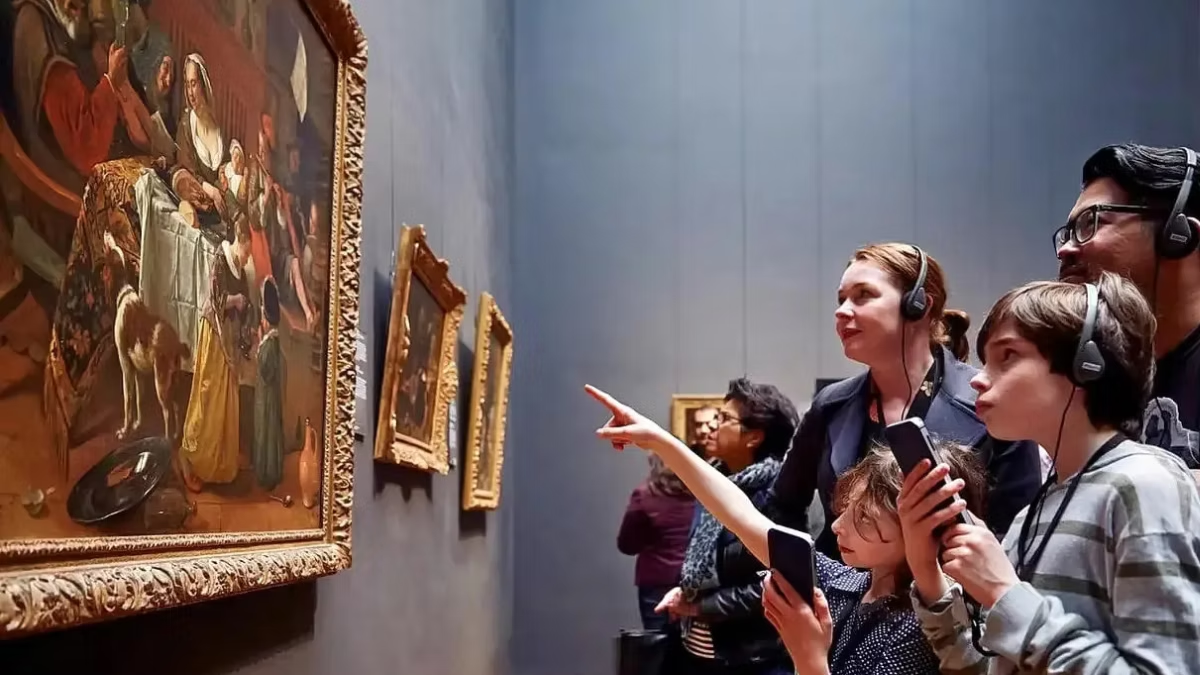
The Rijksmuseum offers audio guidance through its free official app (iOS and Android) and through a €6.50 rental audio guide device at the Information Desk. The app and rental device use identical content — there’s no premium version. For the free app: download before arrival, bring headphones, and you’ll have access to multimedia tours in 11+ languages, a dedicated kids’ tour (SnapGuide), a route for blind and visually impaired visitors, and a searchable floor plan. The €6.50 rental is useful only if you don’t have a smartphone or headphones. Most visitors should use the free app.
The Rijksmuseum’s audio guide isn’t a forgettable add-on. It’s one of the best museum audio experiences in Europe — genuinely good commentary, multiple language tracks, dedicated kids’ content, and special routes for visitors with different needs. And because the official app is free, there’s no financial decision to make for most visitors. This guide covers exactly what’s in the audio guide, how to use it, and when the €6.50 paid rental is worth it versus the free app.
The Free Official Rijksmuseum App
The free Rijksmuseum app is available on iOS and Android and includes all the audio guide content — multimedia tours, a kids’ tour (SnapGuide), blind/visually-impaired route, interactive floor plan, and search for specific works by artist or title. You need to download before you arrive (don’t rely on museum Wi-Fi), bring your own headphones, and have enough phone battery for a 2-3 hour visit.
What the app includes
- “Best of the Rijksmuseum” tour — the headline route covering 30+ works across the Gallery of Honour, Night Watch Room, and key side galleries
- Highlights tours by section — separate walks through the Dutch Golden Age, the Asian Pavilion, the 18th-19th century floors, and 20th-century design
- Artist-focused tours — dedicated routes for Rembrandt, Vermeer, and other major names
- Building tour — the architectural story of Cuypers’ 1885 building, its restoration, and the 2013 renovation
- SnapGuide kids’ tour — narrated by popular Dutch YouTubers and musicians (NikkieTutorials, Ronnie Flex, others), designed for younger visitors
- Dutch Sign Language route — for deaf and hard-of-hearing visitors
- Audio description for blind/visually impaired visitors — detailed verbal descriptions of works, tactile route coordination
- Interactive floor plan — searchable, with lift locations, accessible toilets, and seating
- Create your own route — build a custom tour using the app’s search and save function
Languages available
The app supports audio in: English, Dutch, Dutch Sign Language, French, German, Spanish, Italian, Japanese, Mandarin Chinese, and Russian (with more added periodically). Text captions are available for many of the tours in additional languages.
Download before you arrive
Important: Download the app on your home Wi-Fi before leaving for Amsterdam. The museum Wi-Fi works but can be patchy in crowded galleries, and a 2-3 hour audio tour streaming over Wi-Fi is unreliable.
- iOS: App Store, search “Rijksmuseum”
- Android: Google Play, search “Rijksmuseum”
- File size: ~200-400 MB depending on which tours you download
- Works offline once downloaded — no Wi-Fi needed during your visit
Headphones: bring your own
The museum doesn’t loan headphones. You’ll need:
- Wired or Bluetooth headphones paired with your phone
- Earbuds work fine — you don’t need over-ear cans
- One pair per listener — you can’t share one pair across a group
Without headphones you won’t be able to use the app — Amsterdam museum staff (rightfully) won’t let you play audio aloud in the galleries.
The €6.50 Paid Audio Guide Rental
The museum offers a physical audio guide device at the Information Desk on Floor 0 for €6.50 per person. Content is identical to the free app — same narration, same tours, same languages. The rental exists primarily for visitors who can’t use the app.
When the rental is worth it
- You don’t have a smartphone (or your smartphone is flat)
- You don’t have headphones (though you should bring some — the rental also comes with headphones)
- Your phone battery won’t last the visit — a 2-3 hour audio tour plus photos can drain older phones
- You prefer a dedicated device without notifications interrupting
- You’re on a data roaming plan and didn’t download the app at home
When the rental isn’t worth it
- You already have a smartphone and can download the app — the €6.50 is unnecessary spend
- You want the kids’ SnapGuide — only available on the app
- You want to use multiple tours — switching is easier on a phone than on a rental device
- You want to keep the content after your visit — the app stays on your phone
Practical rental logistics
- Where: Information Desk, Floor 0 (ground floor)
- Payment: Card only (museum is cashless) — Visa, Mastercard, Amex
- Deposit: No separate deposit beyond the rental fee
- Return: Same desk on your way out
- Languages: Same range as the app
Which Audio Experience Is Best for Different Visitors?
| Visitor type | Recommendation |
|---|---|
| First-time solo visitor with smartphone | Free app, Best of Rijksmuseum tour |
| Couple/pair, both with smartphones | Free app on both phones, coordinate route |
| Family with kids 6-14 | Free app, SnapGuide for kids, parents on Best of Rijksmuseum |
| Family with very young children | Skip audio guide, use Family Route (free scavenger hunt) |
| Visitor without smartphone | €6.50 rental |
| Visitor with old/low-battery phone | €6.50 rental OR bring portable charger |
| Art-history student or specialist | Free app, artist-focused tours plus building tour |
| Blind/visually impaired visitor | Free app's audio description route, plus consider the monthly tactile tour (see [Accessibility](https://www.rijksmuseum-guide.com/plan-your-visit/accessibility)) |
| Deaf or hard-of-hearing visitor | Free app's Dutch Sign Language route |
| Returning visitor who's done the main tour | Free app, try a specialist tour (Asian Pavilion, Building, Rembrandt) |
How the Audio Guide Compares to a Guided Tour
The audio guide isn’t a substitute for a human-guided tour, but it’s a strong alternative. Here’s where each excels:
Audio guide (free app) advantages: – €0 cost vs €55-65 for a guided tour – Self-paced — skip sections, replay key works, take your time – Covers more ground — guided tours are limited by 2-hour duration; the app covers the whole museum – Multi-language support — use in whatever language suits you – No group pressure — pause for lunch, return later – Replay anywhere, anytime — keep the content on your phone after the visit
Guided tour advantages: – Live Q&A — ask the guide anything – Context adapted to your group’s interests – Social experience — meet fellow visitors – Guide’s anecdotes and opinions — a human voice brings commentary the app can’t – Helps you spot details you’d miss — “look at the dog’s tail in the Night Watch” – Structure and discipline — you’ll actually see the headline works without getting distracted
For first-time visitors genuinely new to Dutch Golden Age art, a guided tour typically delivers more value. For everyone else, the free audio guide covers the essentials well.
See Rijksmuseum Guided Tours Compared for how the two experiences compare in detail.
The SnapGuide Kids’ Audio Tour
The SnapGuide is the kids-focused route on the app, designed for ages 8-14. It’s narrated by recognizable Dutch figures — YouTubers, musicians, creators — rather than the typical museum curator voice, which makes it genuinely engaging for kids who’d tune out a standard audio guide.
- Narrated by Dutch internet personalities including NikkieTutorials, Ronnie Flex, and others
- Available in English and Dutch
- Duration ~45-60 minutes
- Covers the Rijksmuseum headline works with kid-friendly context
- Free on the app — no paid alternative exists
This is one of the few genuinely good kids’ audio tours at any major European museum. See Visiting the Rijksmuseum with Kids for more on family programming.
How Long Does the Audio Guide Take?
- “Best of the Rijksmuseum” tour: ~60-75 minutes active listening time, typically stretched over 90-120 minutes with walking between stops
- Artist-focused tours: 30-45 minutes each
- Asian Pavilion tour: ~30 minutes
- Building tour: ~45 minutes
- Kids’ SnapGuide: ~45 minutes
You don’t have to complete any single tour — the app lets you sample, skip, and pick individual works. Most visitors use 45-75 minutes of audio during a 2-3 hour museum visit.
Technical Notes
Phone battery: A 2-3 hour museum visit using the audio app plus taking photos can drain older phones. Bring a portable charger if you’re worried, or use battery-saver mode with reduced screen brightness.
Wi-Fi: The museum has free Wi-Fi throughout, but coverage in crowded galleries can be spotty. The app works entirely offline once content is pre-downloaded, which is the more reliable option.
Apple Watch / smartwatch: The app works on paired smartwatches, which some visitors find more comfortable than holding a phone for long periods.
App bugs: If the app freezes or a tour won’t start, force-quit and reopen — this resolves most issues. If content won’t download, check your phone’s available storage (need ~500 MB free).
Languages and Accessibility Details
| Language | Audio | Text | Sign Language |
|---|---|---|---|
| Dutch | Yes | Yes | Yes (dedicated route) |
| English | Yes | Yes | — |
| French | Yes | Yes | — |
| German | Yes | Yes | — |
| Spanish | Yes | Yes | — |
| Italian | Yes | Yes | — |
| Japanese | Yes | Yes | — |
| Mandarin Chinese | Yes | Yes | — |
| Russian | Yes | Yes | — |
| Audio description for visually impaired | Yes (English & Dutch) | — | — |
Frequently Asked Questions
Is the Rijksmuseum audio guide free?
The official Rijksmuseum app — which includes the full audio guide content — is free on iOS and Android. A physical rental audio guide device is available at the Information Desk for €6.50, but the content is identical to the free app.
Do I need to rent an audio guide at the Rijksmuseum?
No, not if you have a smartphone and headphones. Download the free Rijksmuseum app before your visit for the same audio content. The €6.50 rental is only worth it if you don’t have a smartphone or headphones.
How do I download the Rijksmuseum app?
Search “Rijksmuseum” in the Apple App Store or Google Play. Download before you arrive — on your home Wi-Fi — so content is pre-loaded and works offline during your visit.
Does the Rijksmuseum audio guide have English?
Yes. The app’s full audio content is available in English, Dutch, French, German, Spanish, Italian, Japanese, Mandarin Chinese, Russian, and Dutch Sign Language.
Is there an audio guide for kids at the Rijksmuseum?
Yes. The SnapGuide on the free Rijksmuseum app is a dedicated kids’ tour narrated by Dutch YouTubers and musicians. Available in English and Dutch, designed for ages 8-14. It’s genuinely good — one of the better kids’ audio tours at any major European museum.
Is the audio guide included in the ticket price?
No and yes. The physical audio guide rental costs €6.50 extra. The free Rijksmuseum app — which has the same content — doesn’t cost anything, but requires you to bring a smartphone and headphones.
Do I need Wi-Fi to use the app during my visit?
No, once you’ve pre-downloaded the content. Download on your home Wi-Fi before arrival; the app works entirely offline. Museum Wi-Fi is available but can be unreliable in crowded galleries, so offline use is the recommended approach.
Can I use the audio guide with hearing aids?
Yes. The app’s audio works with Bluetooth hearing aids and with the museum’s hearing loops in specific areas (including the auditorium). See Rijksmuseum Accessibility for full detail.
What headphones do I need for the audio guide?
Any wired or Bluetooth headphones paired to your phone. Earbuds are fine. The museum doesn’t loan headphones, so you need to bring your own.
Can I keep using the audio guide after I leave the museum?
Yes, if you’ve used the free app. The content stays on your phone after your visit — you can replay any tour at home. The physical rental must be returned to the Information Desk at the end of your visit.
Is the audio guide better than a guided tour?
Different products. For €0 and self-paced flexibility, the audio guide is excellent. For live Q&A, personalised pacing, and social context, a guided tour (€55-65) adds substantial value for first-time visitors. For most visitors, the free app plus optional guided tour for deeper engagement is the best combination.
